VA
Project VALE
Project VALE Demo deck
A short story you can say out loud · Real screens · Clean flow

A client-facing demo story for the full coaching loop.

This deck is built for real walkthroughs. It keeps the language simple, shows the actual product, and gives you a cleaner way to explain why each step matters to a coach, a client, or a buyer in the room.
Walkthrough length4 steps
Proof typeLive screenshots
Talk trackSimple
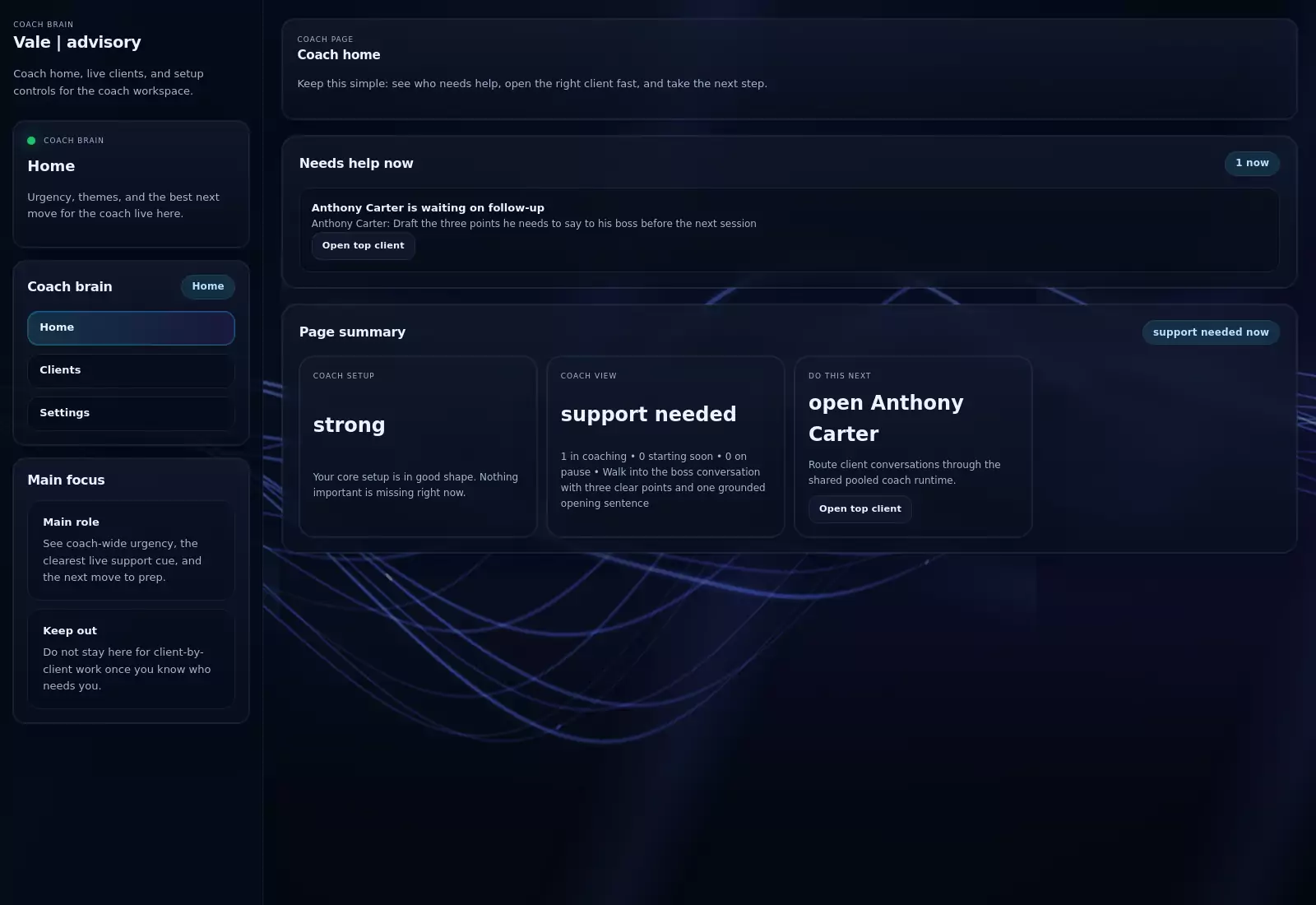
Coach dashboard screenshot
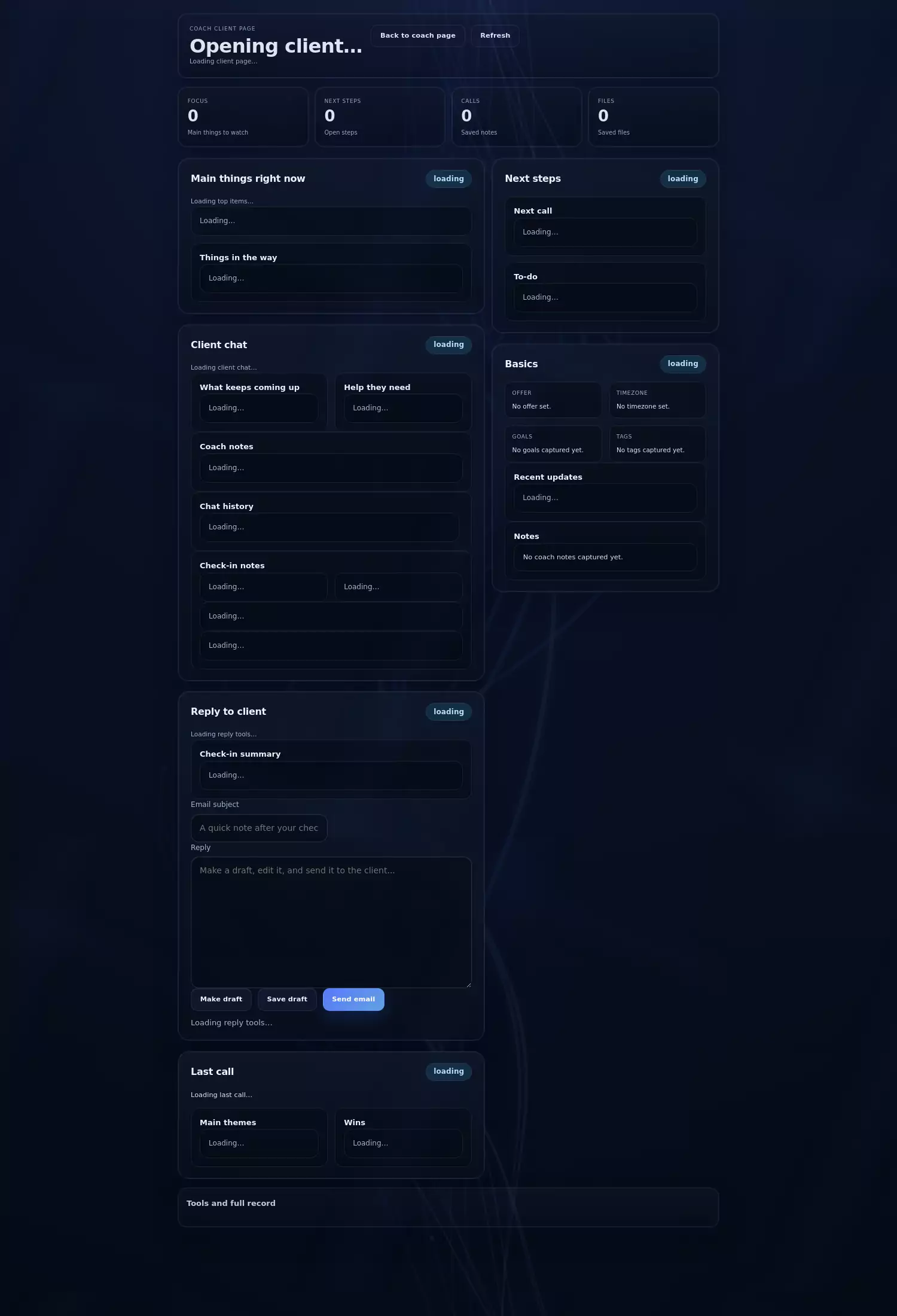
Coach client page screenshot
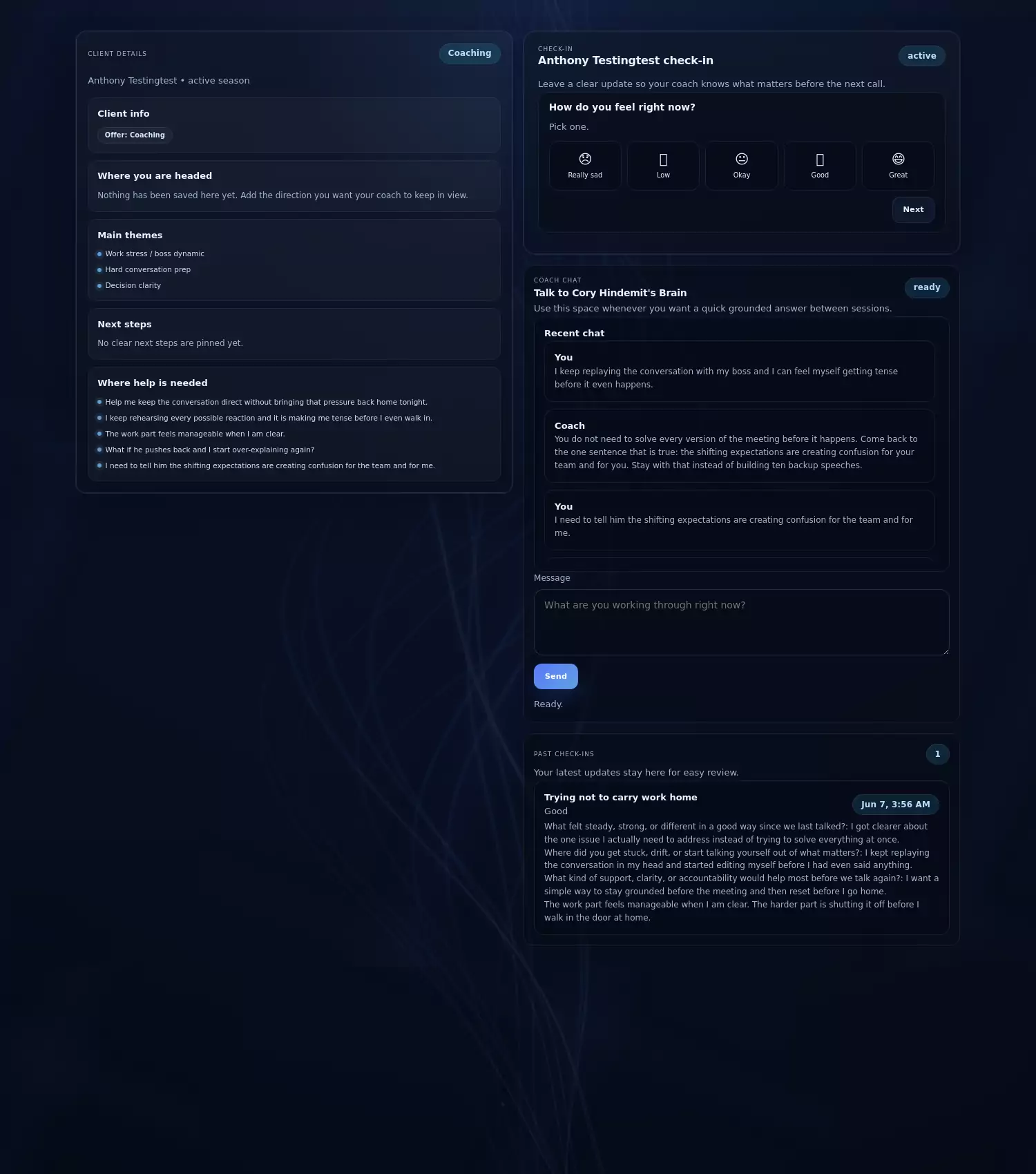
Client check-in screenshot
These are real screenshots from the live product.Live MVP
Step 1Show the coach home first

It explains the product quickly.

Step 2Open the client page second

That shows the coaching context in one place.

Step 3Show the client check-in third

That makes the client-side story easy to feel.

Step 4Close with why it matters

Continuity, clarity, and less tool switching.

Step 1

Start with the coach home.

Open by showing that the coach can quickly see who needs help and what the next move is. This is the fastest way to make the product feel concrete.

Say this

The coach can see what matters right now

Use this line first so the room immediately understands the point of the page.

Point here

Priority, next move, and setup state

Those are the most legible visual anchors on the screen.

Why it matters

Less time lost before real coaching work starts

The coach gets oriented fast instead of rebuilding context from scratch.

Step 2

Move to the client page.

This is the clearest place to show coaching continuity: themes, notes, files, support history, and next-step thinking all in one working view.

Say thisThis page keeps the client story together so the coach can act faster

That line lands well because it explains both utility and speed without sounding technical.

  • Point at themes and notes
  • Point at support history and reply drafting
  • Point at the next-step coaching lane
Why it landsThe room can see the value without extra explanation

It looks like one place where real work happens, not a generic admin dashboard.

Step 3

Show the client check-in.

Keep the story simple: the client checks in, shares what feels hard, and gets supported between sessions without entering a complicated portal.

Say this

This is the calm client side

It is short, grounded, and easy for a room to remember.

Point here

Current question, quick input, and support lane

That keeps attention on low friction and emotional clarity.

Why it matters

Better client participation between sessions

If the path feels simple, clients are more likely to actually use it.

Step 4

Close with the full-system story.

End with one clean sentence: this gives the coach a better operating home, gives the client a calmer check-in path, and keeps continuity alive between sessions.

Best closeSimple for the coach, simple for the client, stronger between sessions

That line works for buyers, partners, and general walkthroughs because it stays close to visible product value.

Optional follow-upThen move into the audience-specific deck

If the room shifts toward commercial questions, jump from here into the investor, partner, or enterprise version instead of improvising the rest.

Walkthrough next step

If you want, the next move is a live walkthrough of the real product.

Use this deck when you need a short, believable story that keeps the room with you and makes the product easy to understand fast.

Short talk trackReal product proofEasy handoff into buyer-specific decks